With the basic math knowledge and Tensorflow set up in colab by Google, it’s not that daunting to apply AI to our normal life. So I would like to get started by apparel recognition.
Note Tensorflow only supports Python3.6 version so you need to downgrade if the existing one is 3.7 or higher.
# TensorFlow and tf.keras
import tensorflow as tf
from tensorflow import keras

# Helper libraries
import numpy as np
import matplotlib.pyplot as plt

print(tf.__version__)

#read in the data
fashion_mnist = keras.datasets.fashion_mnist
(train_images, train_labels), (test_images, test_labels) = fashion_mnist.load_data()

class_names = ['T-shirt/top', 'Trouser', 'Pullover', 'Dress', 'Coat', 'Sandal', 'Shirt', 'Sneaker', 'Bag', 'Ankle boot']

train_images = train_images / 255.0
test_images = test_images / 255.0

plt.figure(figsize=(10,10))
for i in range(25):
  plt.subplot(5, 5, i+1)
  plt.xticks([])
  plt.yticks([])
  plt.grid(False)
  plt.imshow(train_images[i], cmap=plt.cm.binary)
  plt.xlable(class_names[train_labels[i])
plt.show()

#build models
#transform the images from 28 by 28 pixels to a one-dimensional array 784 pixels
model = keras.Sequential([
  keras.layers.Flatten(input_shape=(28,28)),
  keras.layers.Dense(128, activation='relu'),
  keras.layers.Dense(10)
])

# To get the model full ready, you need to set up loss function, optimizer and metrics.
model.compile(optimizer='adam',
              loss=tf.keras.losses.SparseCategoricalCrossentropy(from_logits=True),
              metrics=['accuracy'])
#then enter into the state of training
model.fit(train_images, train_labels, epochs=10)

# Then evaluate the accuracy of predicting model
test_loss, test_acc = model.evaluate(test_images,  test_labels, verbose=2)
print('\nTest accuracy:', test_acc)

#make predictions based on the trained model
probability_model = tf.keras.Sequential([model,
                                         tf.keras.layers.Softmax()])
predictions = probability_model.predict(test_images)
predictions[0] #the spit out is an array of 10 elements(labels given), probability of each class/label is the prediction
Now the tensorflow official page also demonstrate how to feed in a single image and let the trained model to work:
img = test_images[1]
This img data is already sanitized and in array format by
img = (np.expand_dims(img,0))
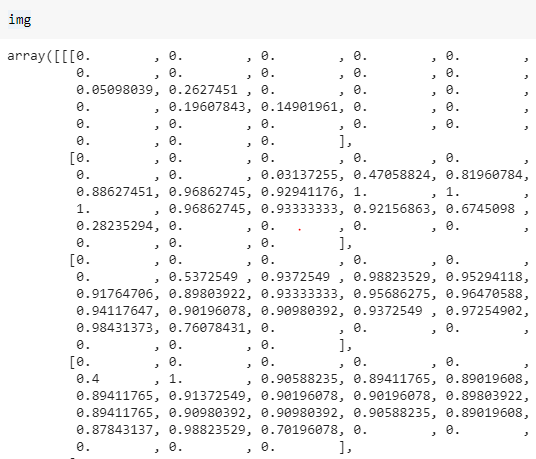
Applying these codes to run the prediction
predictions_single = probability_model.predict(img)

print(predictions_single)

plot_value_array(1, predictions_single[0], test_labels)
_ = plt.xticks(range(10), class_names, rotation=45)
Now I want to import any other image files I want this trained model to recognize,
from google.colab import drive
drive.mount('/content/gdrive')
%%bash
cd /content/gdrive/My Drive/
import pandas as pd
pd.read_csv('gdrive/My Drive/test.csv') #this is to show how to import a csv file into colab
If the image file is saved in my local drive, use the following snippet
from google.colab import files
from keras.preprocessing import image
from PIL import Image, ImageFilter
from io import BytesIO
uploaded = files.upload()
im = Image.open(BytesIO(uploaded['saddle point.png']))
Lots of work will be spent on processing raw data, here, let’s start with this single image file. It is not suitable for Tensorflow to predict yet.
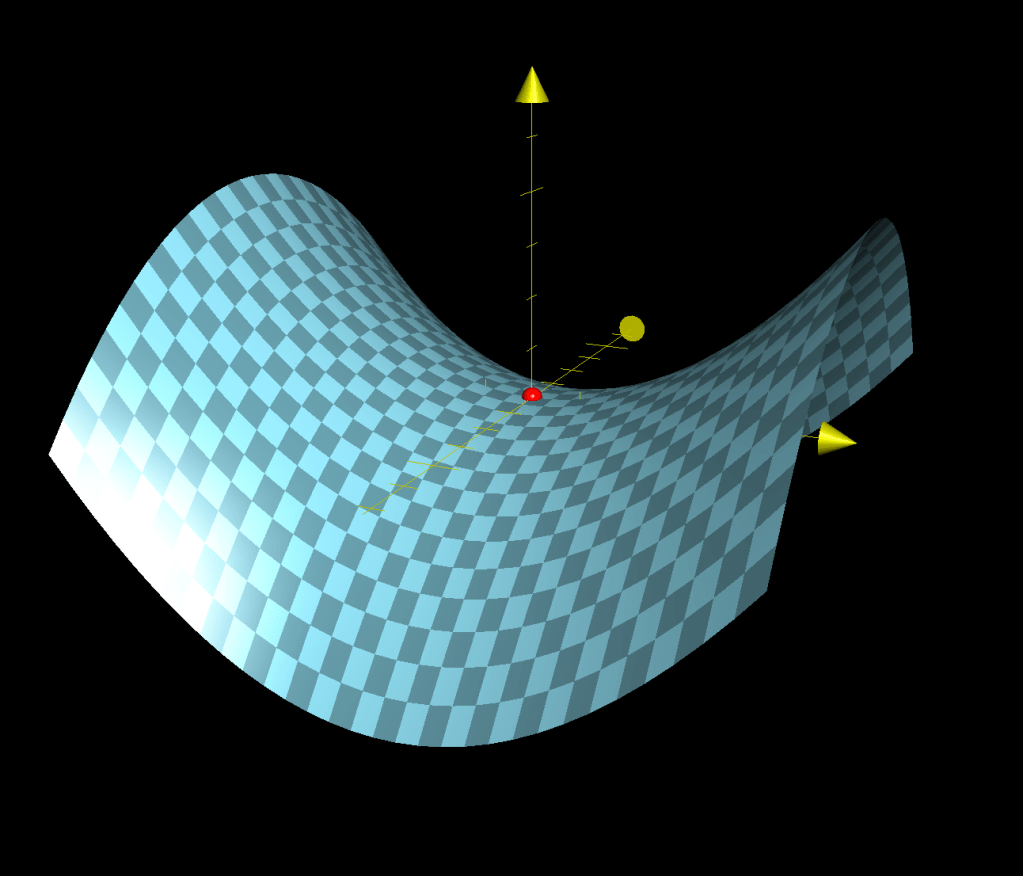
width = float(im.size[0])
height = float(im.size[1]) #here width is greater than height
newImage = Image.new('L', (28, 28), (255))  # creates white canvas of 28x28 pixels
nheight = int(round((20.0 / width * height), 0))  # resize height according to ratio width
img = im.resize((20, nheight), Image.ANTIALIAS).filter(ImageFilter.SHARPEN)
wtop = int(round(((28 - nheight) / 2), 0))  # calculate horizontal position
newImage.paste(img, (4, wtop))  # paste resized image on white canvas
tv = list(newImage.getdata())  # get pixel values
tva = [(255 - x) * 1.0 / 255.0 for x in tv]
print(tva)
test = np.array(tva)
testimg = test.reshape(28, 28)
testimg = (np.expand_dims(testimg,0))
predictions_single = probability_model.predict(testimg)
print(predictions_single)
plot_value_array(1, predictions_single[0], test_labels)
_ = plt.xticks(range(10), class_names, rotation=45)
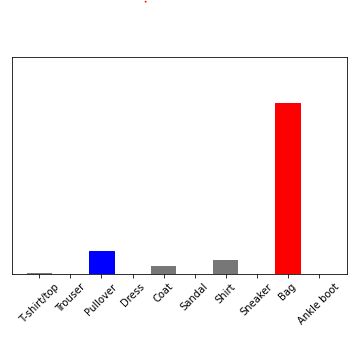
The output by MNIST model is
 Naixian Zhang