Thinking about eventually I will need to grasp C/C++, so better to start earlier than later. And I can make good use the iMac instead of Windows.
First, use vi as an editor, press “i” insert to enter the edit mode, and “esc” to navigate mode.
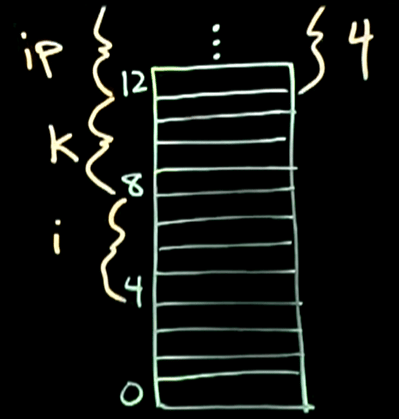
Then dive into nitty gritty. Computers store info in byte, stack up, lowest is the least significant, there is the concept of variable cost’s content location 4 to 8, and address location/pointer that is above lsb(least significant byte).

In Python or other higher level language, you can jump to define cost = 2.5, qty = 3, etc., but in C, you have to first define data type of these variables, say, int qty, float cost. There are mainly 4 data types in C: ASCII char, int, float and double, represented by 1 byte, 4 bytes, 4 bytes, and 8 bytes respectively in gcc(compiler version). So chars is better than ints better than floats to save memory. Be careful of “overflow” issue when doing math using integers, but give unsigned char data type, simple math such as x= 100, y=240, will lead to z = x+y = 84 due to “overflow”. Use a concrete example, 2’s complement.

In the stack, one can choose the bottom byte as either least significant or most significant, leading to little endian and big endian respectively.

Now we will go over the famous pointer concept. When we define int i; int k, *ip;, the asterisk sign before ip tells two things: first, ip is the variable name here, ip is the type of “pointer to type int“. ip = &i, & is a reference operator, returning a pointer/address. So here &i returns the address of i, which is 4:
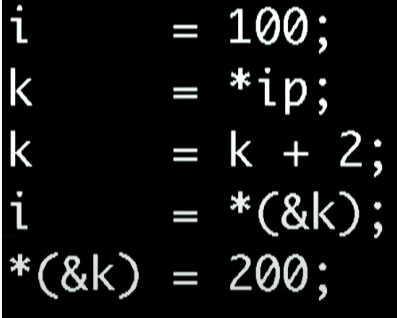
star in this concept k = *ip, * is the dereference operator, returns the content at the address.
Here is a complete simple C script: more printout.c is to show the script body.
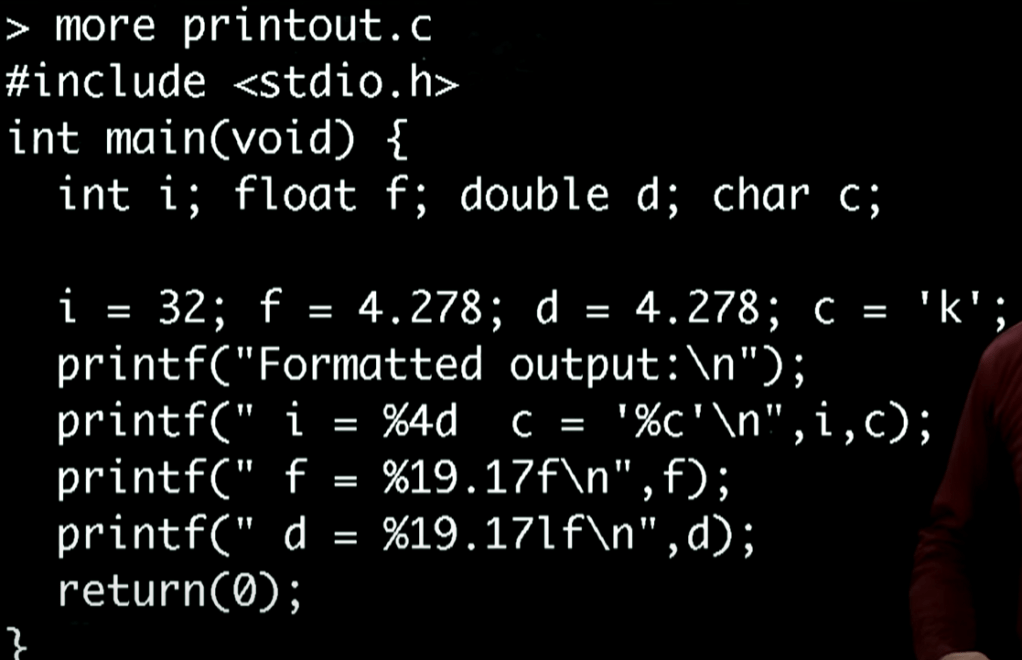
printf instruction needs to be wrapped, with the i, c denoted in the end, but in the front, it’s clearly said i = %4d, meaning it will give 4 spaces to the integer i, while in below, f is given 19 spaces with 17 to the decimal places, d same, but lf indicates it’s a long float.
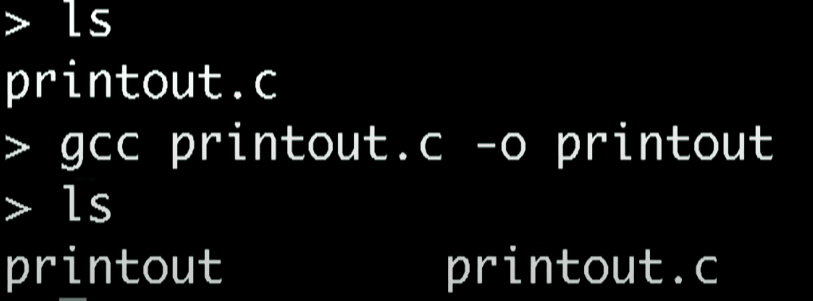
type gcc to compile printout.c, and indicate output (-o) executable is printout.
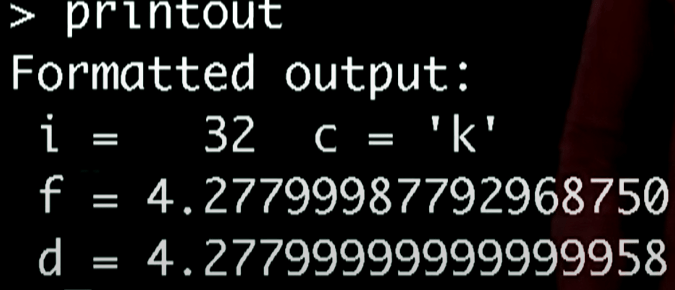
Remember: in vi, type :w to write into a file, :q to quit the vi and enter into command line
in command line, type ls to see all the file, type “more main.c” to see the file created in vi, type “gcc main.c -o maintest” to compile it and name the output file as maintest, then type “maintest” to view the otput of this main.c executed output.
 Naixian Zhang