Writing down the ways to use openai API. Engineer Prompt is essential in making maximum usage of chatGPT!
import openai
from openai.embeddings_utils import get_embedding, cosine_similarity
openapikey = “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”
openai.api_key = openapikey
Simple tasks are: similarity score, semantic search spitting out the rank, direct documents sorting, documents/companies classification using RandomForestClassifier or LogisticRegression. Further we can do sentiment analysis, Fed Speech recognition, Earnings Call summarization.
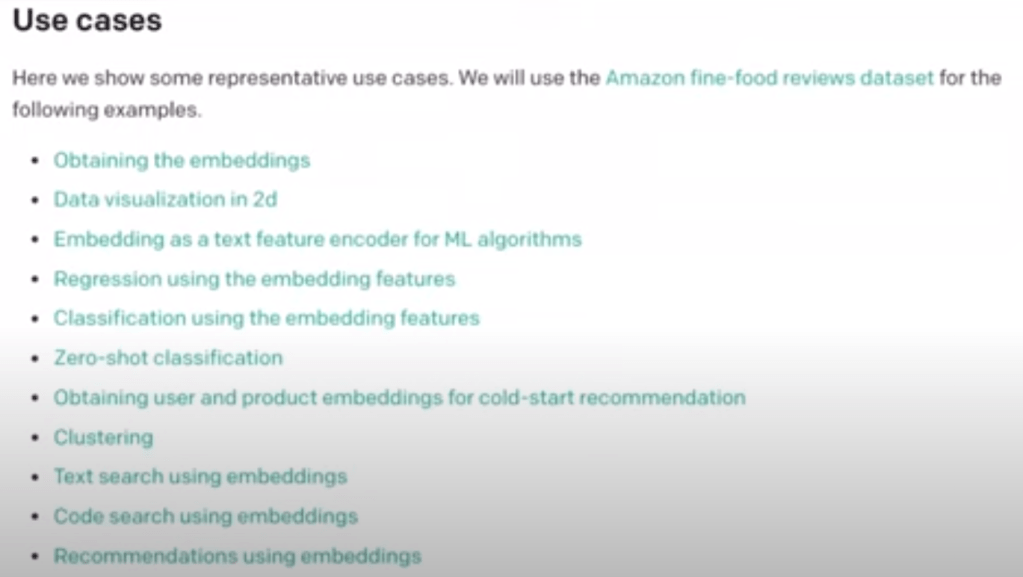
There are a wide range of use cases.
OpenAI Whisper can turn video object into text in seconds.
import whisper
from pytube import YouTube

model = whisper.load_model('base')
youtube_video_url = "https://www.youtube.com/watch?v=NT2H9iyd-ms"
youtube_video = YouTube(youtube_video_url)
youtube_video.title
dir(youtube_video)
youtube_video.streams
for stream in youtube_video.streams:
  print(stream)
streams = youtube_video.streams.filter(only_audio=True)
streams
stream = streams.first()
stream
stream.download(filename='fed_meeting.mp4')
# ffmpeg -ss 378 -i fed_meeting.mp4 -t 2715 fed_meeting_trimmed.mp4

# summarize transcripts
import requests
url = "https://gist.githubusercontent.com/hackingthemarkets/e664894b65b31cbe8993e02d25d26768/raw/618afe09d07979cc72911ce79634ab5d2cc19a54/nvidia-earnings-call.txt"
response = requests.get(url)
transcript = response.text
transcript

prompt = f"{transcript}\n\ntl;dr:"
prompt
words = transcript.split(" ")
# show the first 20 words
words[:20]
chunks = np.array_split(words, 6)
chunks
sentences = ' '.join(list(chunks[0]))
sentences
prompt = f"{sentences}\n\ntl;dr:"
response = openai.Completion.create(
    engine="text-davinci-003",
    prompt=prompt,
    temperature=0.3, # The temperature controls the randomness of the response, represented as a range from 0 to 1. A lower value of temperature means the API will respond with the first thing that the model sees; a higher value means the model evaluates possible responses that could fit into the context before spitting out the result.
    max_tokens=140,
    top_p=1, # Top P controls how many random results the model should consider for completion, as suggested by the temperature dial, thus determining the scope of randomness. Top P’s range is from 0 to 1. A lower value limits creativity, while a higher value expands its horizons.
    frequency_penalty=0,
    presence_penalty=1
)
response_text = response["choices"][0]["text"]
response_text

# loop through
summary_responses = []

for chunk in chunks:

    sentences = ' '.join(list(chunk))

    prompt = f"{sentences}\n\ntl;dr:"

    response = openai.Completion.create(
        engine="text-davinci-003",
        prompt=prompt,
        temperature=0.3, # The temperature controls the randomness of the response, represented as a range from 0 to 1. A lower value of temperature means the API will respond with the first thing that the model sees; a higher value means the model evaluates possible responses that could fit into the context before spitting out the result.
        max_tokens=150,
        top_p=1, # Top P controls how many random results the model should consider for completion, as suggested by the temperature dial, thus determining the scope of randomness. Top P’s range is from 0 to 1. A lower value limits creativity, while a higher value expands its horizons.
        frequency_penalty=0,
        presence_penalty=1
    )

    response_text = response["choices"][0]["text"]
    summary_responses.append(response_text)

full_summary = "".join(summary_responses)

print("full summary")
print(full_summary)
Once summarized the text, we can also write “informative” prompt to do further work such as extract name entities, extract people, job titles, and product names, extract keywords, extract numbers and explain what they represent. We can also say dates and what they represent and return in bullet points, return in csv format, json format, and you can even give a specific example to have chatGPT to do a zero-shot learning by typing “… return json format” and then below in the end,
{
“people”: [{“name”: “”, “job_title”:””}],
“products”:[]
}
And you can ask it to return sql database structure to store the output.
Next, to perform sentiment analysis, not only you can ask it an overall sentiment, but also can ask it to give sentiment to each sentence in the earnings call or Fed speech in the following format: sentence number | sentence text | sentiment.
 Naixian Zhang