6502 is still being produced and one can reference its manual to install: from Ben Eater

Then hook up Arduino to view what’s going on inside the chip. What to do is to connect the 16 address line A1-A15 to the i/o lines in Arduino. below is the codes you write on Arduino, to print out to view.
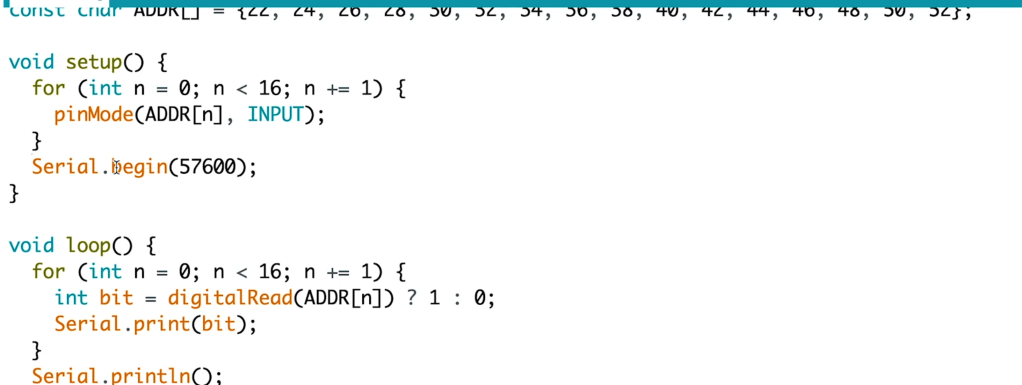
modify to make it print out address values only when clock pulsed:
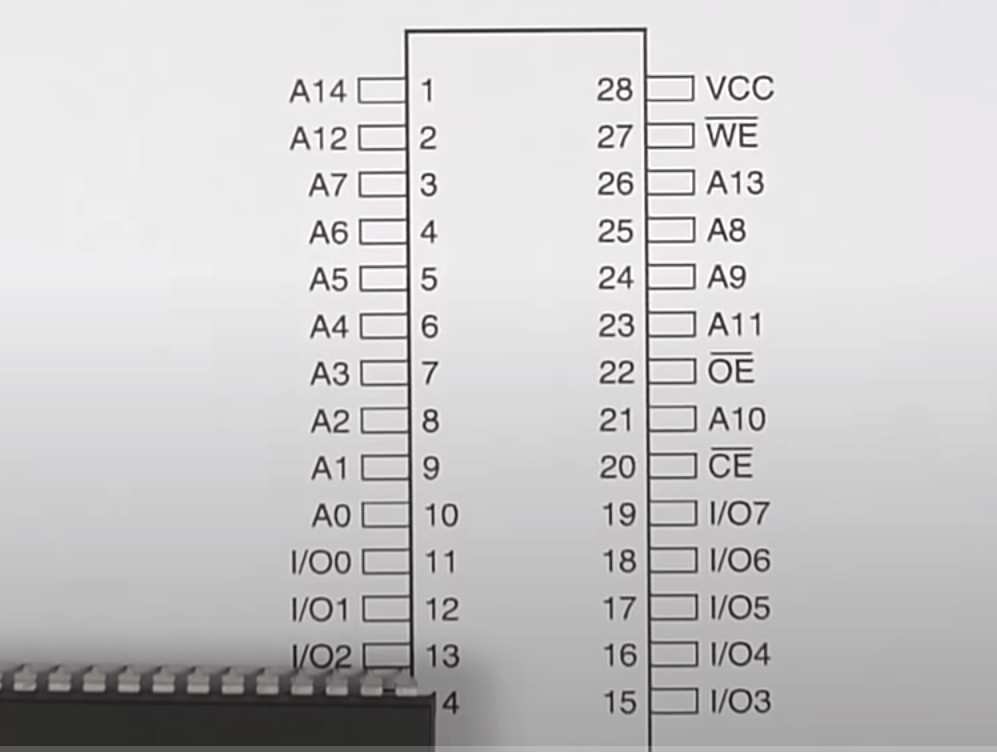
in the chip, how do CPU read machine codes? adding on a ROM, the manual shows a 256K ROM:
Reset

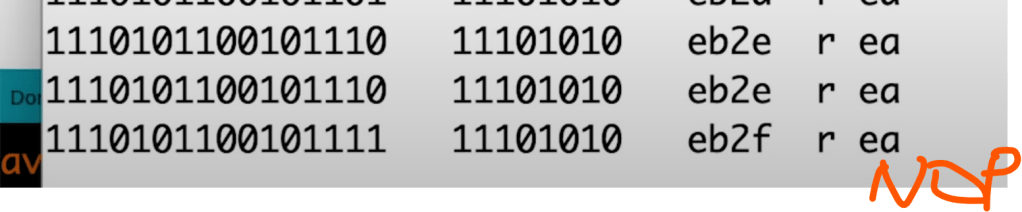
connected all data and i/os, then program using python in the ROM to give instructions to MPU:
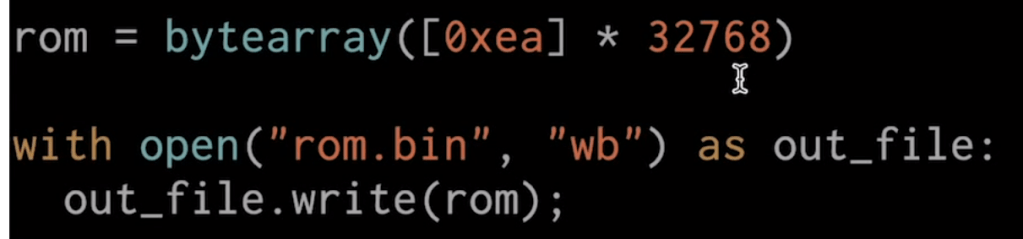

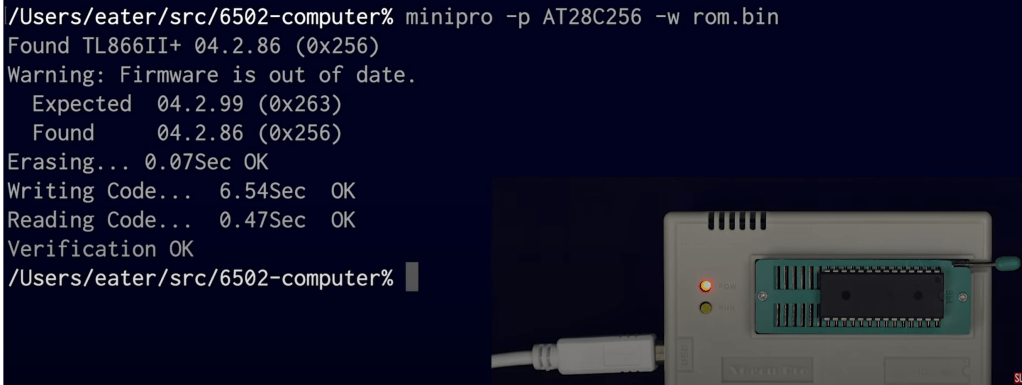
Then plug in the ROM programmer and let it read in the codes (32k eas, i.e. doing nothing NOP) and run
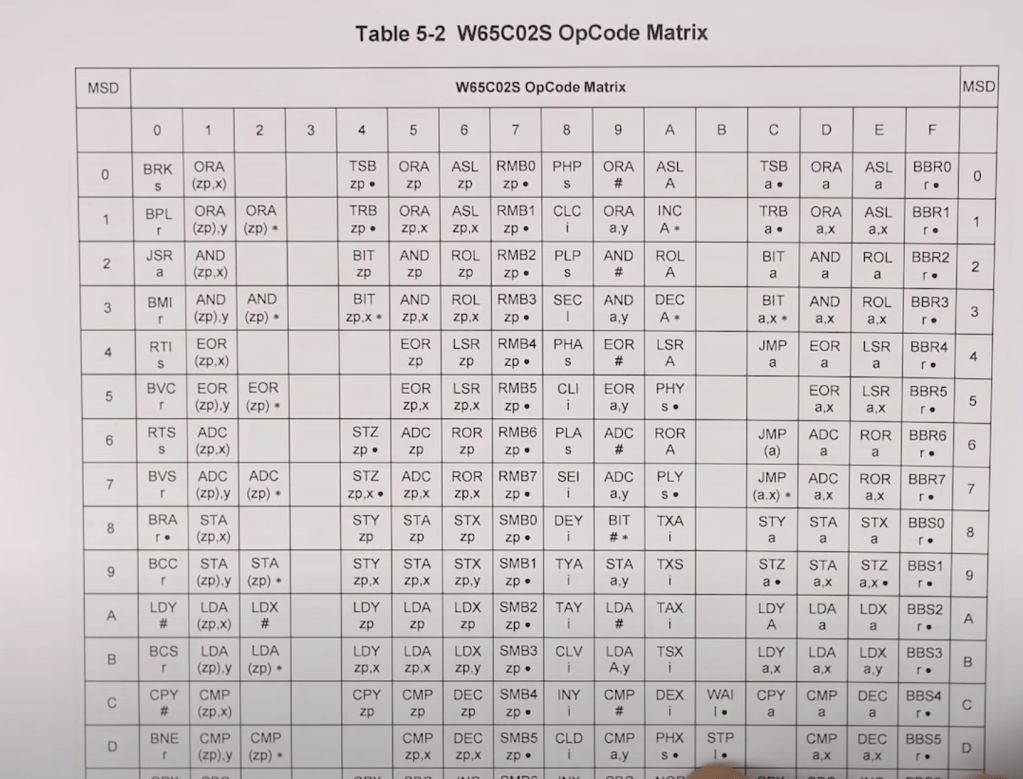
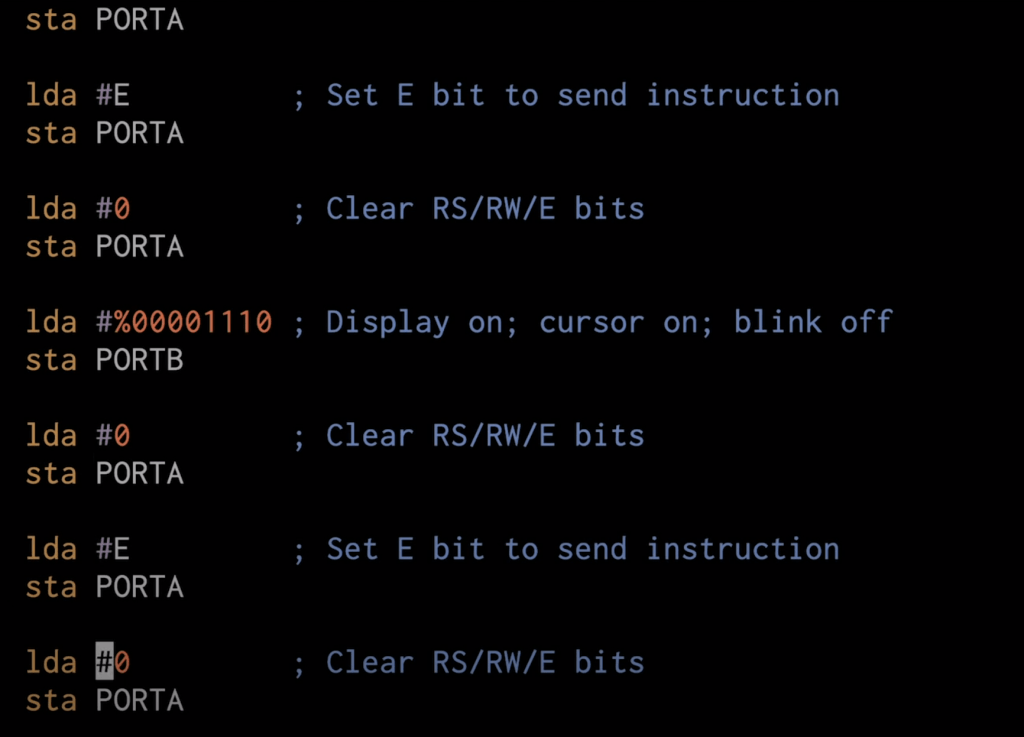
Learning assembly language (mnemonics) versus machine codes (hex format), then hook up to a display LCD module and show the output of machine codes in the display:
Then move on the concept of STACK, how does it work?
RAM and bus timing
Subroutine calls with RAM
Build an entire computer on a breadboard
Assembly language loops work
Binary to decimal
Hardware interrupts
Interrupt handling
PS/2 keyboard interface, how does it work
SPI, serial peripheral interface, almost every electronic devices communicates via SPI.
The Serial Peripheral Interface (SPI) is a synchronous serial communication interface used for short-distance communication, primarily in embedded systems. SPI is commonly used in systems such as microcontrollers for communication with sensors, memory devices, and other peripherals. Here are the key characteristics and features of SPI:
- Master-Slave Architecture: SPI operates in a master-slave configuration. Typically, a single master device controls one or multiple slave devices. The master initiates the communication.
- Four Main Lines: SPI communication involves four primary signal lines:
- SCLK (Serial Clock): Generated by the master and used to synchronize data transfer.
- MOSI (Master Out Slave In): The line used by the master to send data to a slave.
- MISO (Master In Slave Out): The line used by the slave to send data to the master.
- SS (Slave Select) or CS (Chip Select): This line is used to select a particular slave for communication. Each slave will have its own SS line. When the SS line of a slave device is pulled low, that slave is selected and can communicate with the master.
- Full Duplex Communication: SPI supports full duplex communication, meaning that data can be sent and received simultaneously. This is facilitated by the separate MOSI and MISO lines.
- Configurability: SPI supports various configurations in terms of data bit order (MSB first or LSB first), clock polarity, and clock phase. This makes it adaptable to different peripheral requirements.
- Speed: SPI can operate at high data rates, often in the range of several megahertz. The exact speed is dependent on the specific devices and their operating conditions.
- No Specific Protocol: One of the defining characteristics of SPI is that it doesn’t define a specific protocol for message format. Instead, it provides a simple mechanism for sending and receiving data. The format and interpretation of this data are defined by the connected devices.
- No Acknowledgement: SPI does not have an explicit acknowledgement mechanism. If a master sends data to a slave, it assumes the slave received it. If confirmation is needed, it must be implemented at a higher level or through additional signals.
- Simple Hardware Implementation: SPI’s simplicity makes it relatively easy to implement in hardware, which is why it’s commonly found in many integrated circuits.
Common uses of SPI include interfacing with SD cards, sensors, digital-to-analog converters (DACs), analog-to-digital converters (ADCs), and display drivers, among others.
what are the commercial products of SPI?
SPI (Serial Peripheral Interface) is a communication protocol rather than a commercial product. However, a wide variety of commercial products incorporate SPI as a means of communication with other devices or components. Here’s a list of some types of commercial products and components that commonly use the SPI protocol:
- Microcontrollers & Processors: Many microcontrollers, especially those designed for embedded systems, have built-in SPI interfaces to communicate with external peripherals.
- Sensors: Various sensors like temperature sensors, accelerometers, gyroscopes, magnetometers, and pressure sensors often come with SPI interfaces.
- Memory Devices:
- Flash Memory: SPI is frequently used to interface with flash memory chips.
- EEPROM: Electrically Erasable Programmable Read-Only Memory chips that use SPI are common.
- Display Drivers: OLED and TFT display drivers might use SPI for communication.
- ADCs and DACs: Analog-to-Digital Converters and Digital-to-Analog Converters often have SPI interfaces.
- Network Controllers: Some Ethernet and Wi-Fi modules use SPI to interface with microcontrollers.
- Radio Modules: Devices like RF transceivers or Bluetooth modules may utilize SPI for communication.
- SD Cards: While SD cards primarily use the SDIO protocol, they can also operate in an SPI mode, which is simpler and is often used in microcontroller-based applications.
- Audio Devices: Some audio codecs and sound processors use SPI.
- Real-Time Clocks (RTCs): RTCs that maintain the date and time in systems may have an SPI interface.
- Touch Screen Controllers: Some touch screen controllers communicate via SPI.
- Expansion & Interface Boards: Various boards that allow for adding capabilities (like GPIO expansion, motor control, etc.) to computing platforms might use SPI for communication.
How do hardware timers work?
The RS232 protocal
Voltage multiplier
6502 serial interface
RS232 interface with 6551 UART
Running Apple I software on a breadboard Computer!
 Naixian Zhang