When configuring GPTs or setting up the Assistant API to interact with third-party APIs like Retool, Google Weather, Geolocation, and others, many find the JSON schema to be a challenging aspect. How can one effectively document and describe this schema?
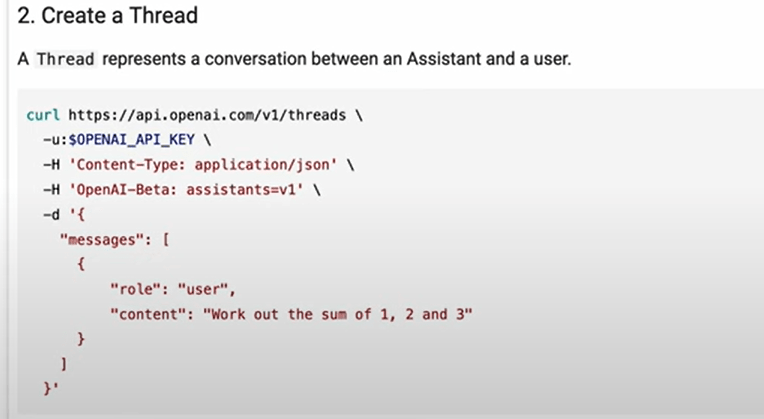
To describe the schema step, let’s reference 01coder’s assistant API video to go through all 5 steps:
Step 1 create assistant

Step 3 create run, you need to paste the thread id and assistnat id manualy in CURL, note in the screenshot below a run_id is created too
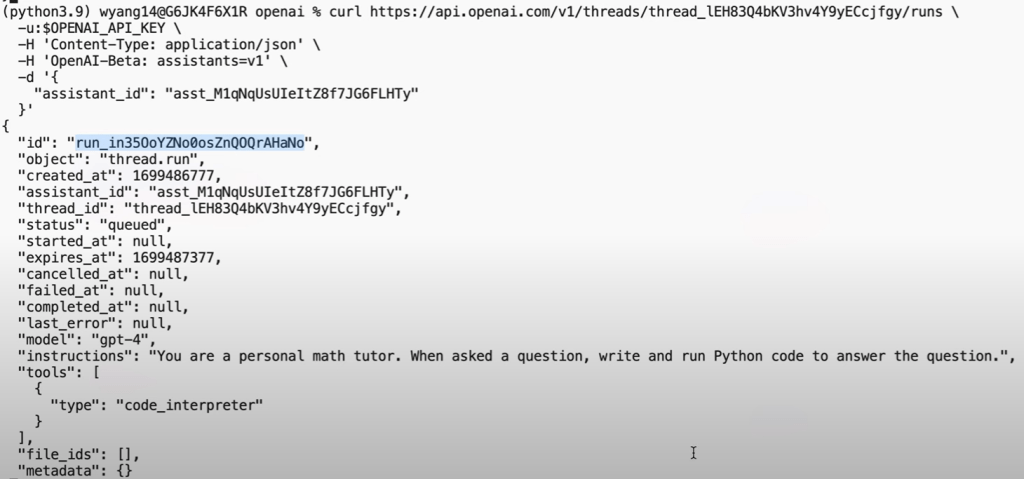
Step 4 Query the run id status

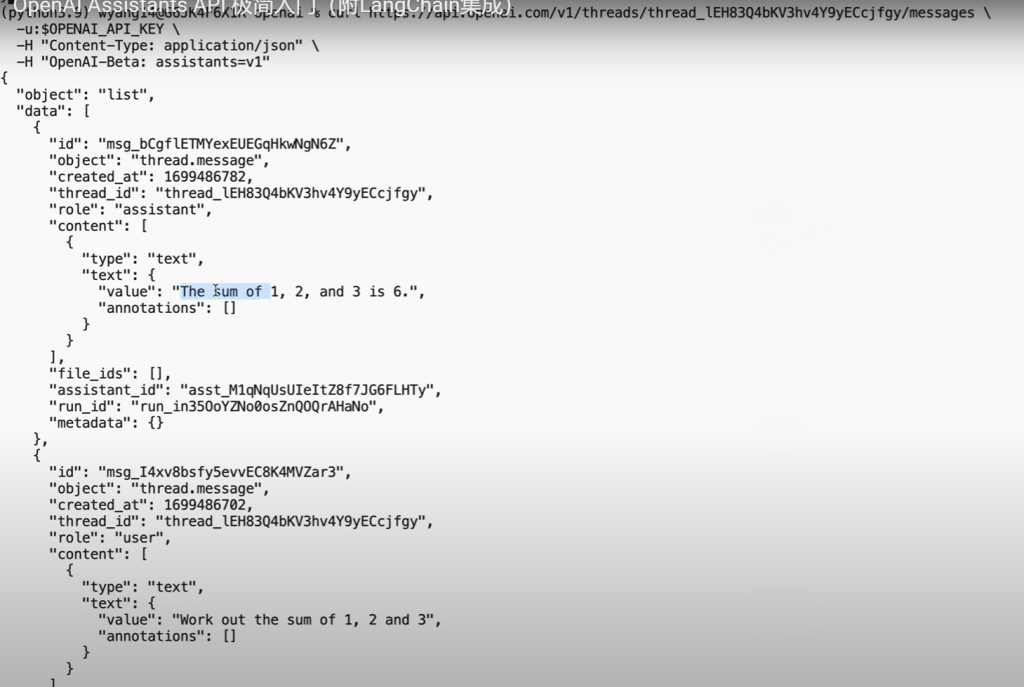
Step 5, Query the assistant to view the whole message flow
In inserting schema, we can use template json or import direclty a openai compatible api gate such as


How does it realize this schema? well, it’s in the main.py as
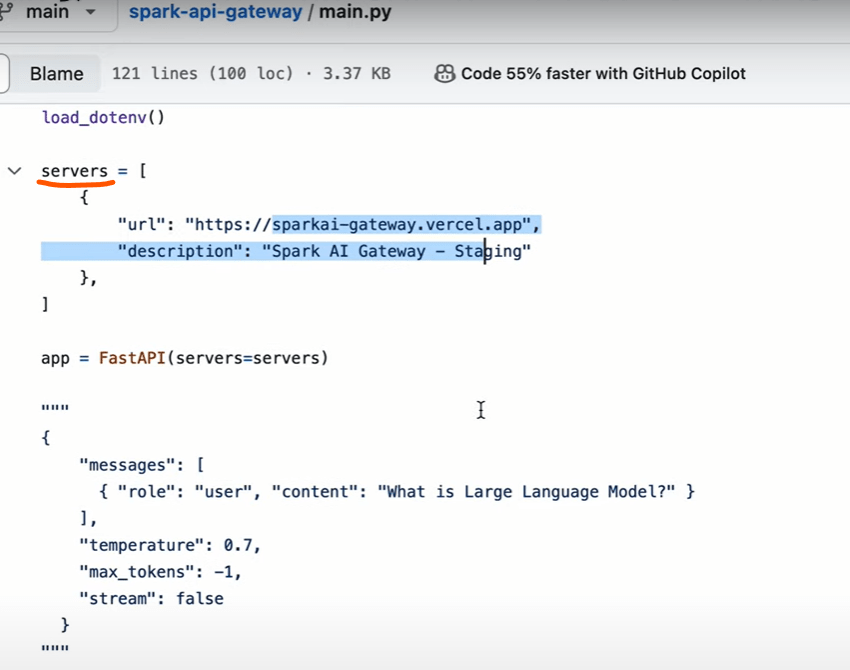
Note the server needs to be defined as who to talk with.
The end points are embodied in the end of the main.py file as
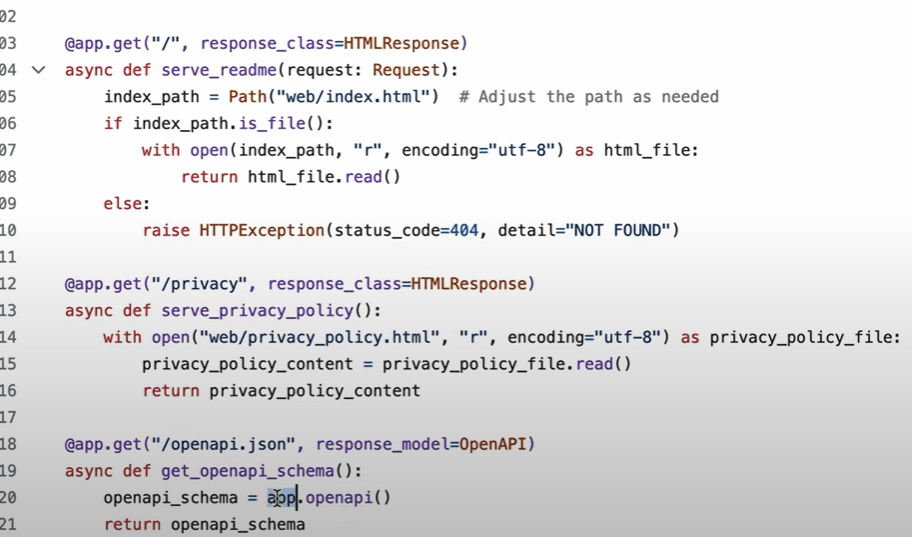
OK, I’d like to explore further if we can create APIs with full freedom and flexibility, hence reference his cloud open-sourced API domain as

Next, to learn how to write or edit APIs to make it openai importable!
Tested on classificaiton API of FactSet, just pasting the yaml spec worked. but the API key doesn’t work due to IP address not approved, so need to test out using oAuth setting.
 Naixian Zhang