- Prompt generator: prompt template contain fixed and variable content, leverage prompt generator and template, for example
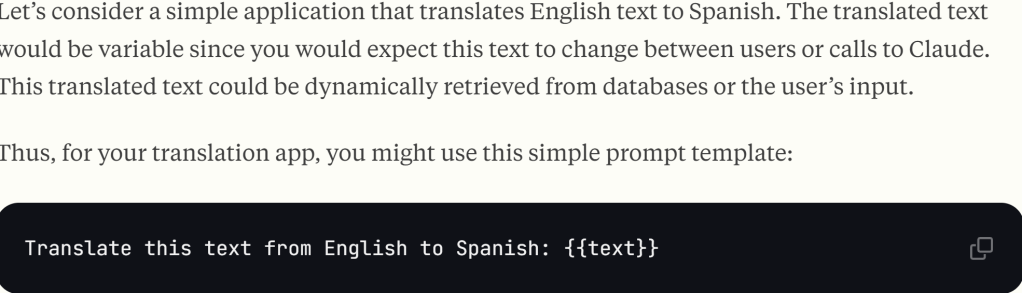
These can be realized by prompt improver, Notice how the improved prompt:
- Guides Claude through the analysis process
- Adds clear step-by-step reasoning instructions
- Uses XML tags to organize content
- Provides explicit output formatting requirements
the original prompt is “From the following list of Wikipedia article titles, identify which article this sentence came from. Respond with just the article title and nothing else.
Article titles:
{{titles}}
Sentence to classify:
{{sentence}}”
now after the prompt improver:
You are an intelligent text classification system specialized in matching sentences to Wikipedia article titles. Your task is to identify which Wikipedia article a given sentence most likely belongs to, based on a provided list of article titles.

First, review the following list of Wikipedia article titles:
<article_titles>
{{titles}}
</article_titles>

Now, consider this sentence that needs to be classified:
<sentence_to_classify>
{{sentence}}
</sentence_to_classify>

Your goal is to determine which article title from the provided list best matches the given sentence. Follow these steps:

1. List the key concepts from the sentence
2. Compare each key concept with the article titles
3. Rank the top 3 most relevant titles and explain why they are relevant
4. Select the most appropriate article title that best encompasses or relates to the sentence's content

Wrap your analysis in <analysis> tags. Include the following:
- List of key concepts from the sentence
- Comparison of each key concept with the article titles
- Ranking of top 3 most relevant titles with explanations
- Your final choice and reasoning

After your analysis, provide your final answer: the single most appropriate Wikipedia article title from the list.

Output only the chosen article title, without any additional text or explanation.- Give Claude a role (system prompts): User
You are the General Counsel of a Fortune 500 tech company. We’re considering this software licensing agreement for our core data infrastructure:
<contract>
{{CONTRACT}}
</contract> - Prefill Claude’s response
- Chain complex prompts
- Long context tips
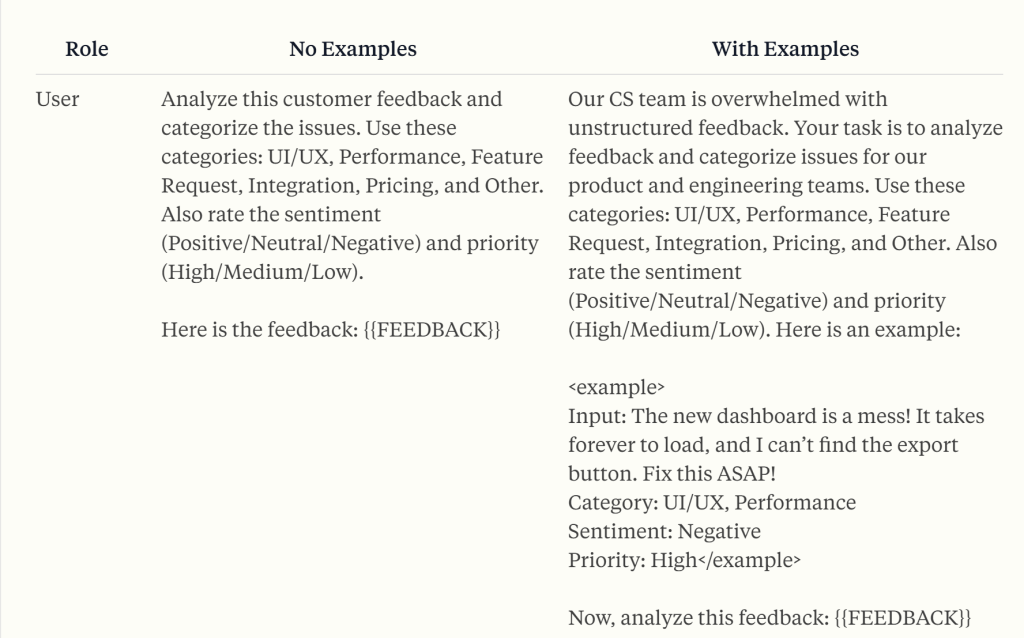
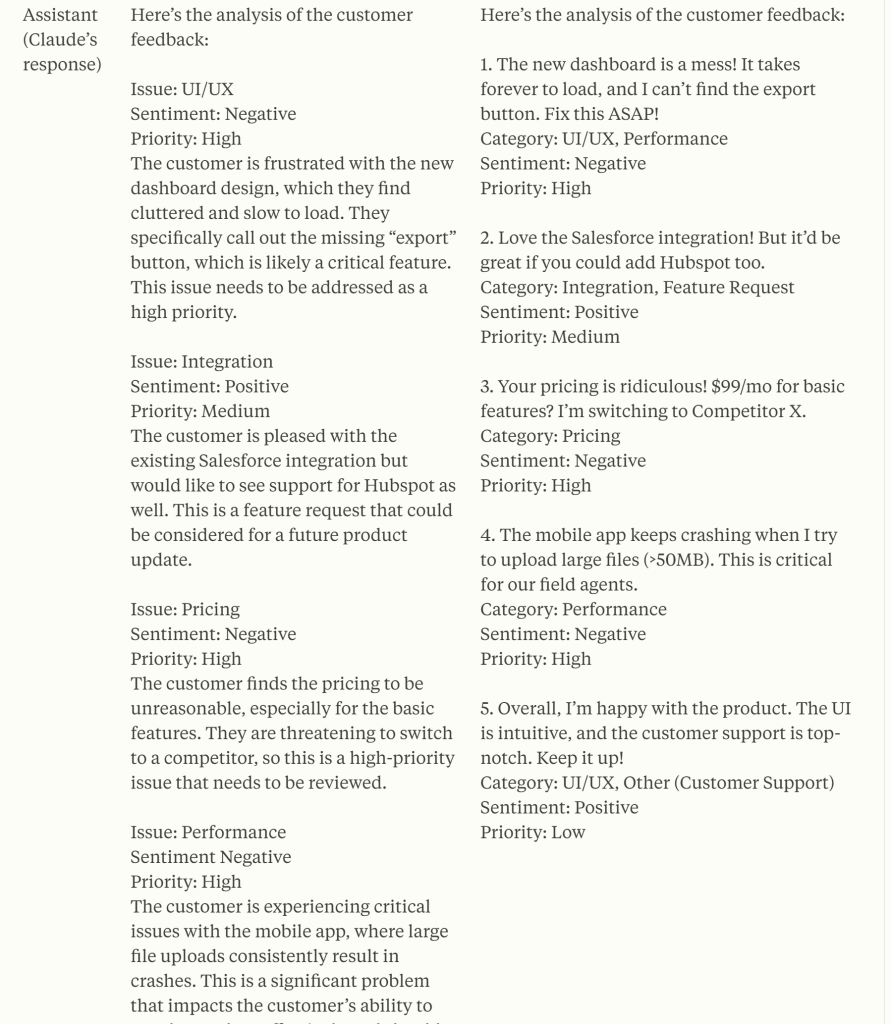
Use Examples: Examples are your secret weapon shortcut for getting Claude to generate exactly what you need. By providing a few well-crafted examples in your prompt, you can dramatically improve the accuracy, consistency, and quality of Claude’s outputs. This technique, known as few-shot or multishot prompting, is particularly effective for tasks that require structured outputs or adherence to specific formats.
Examples are your secret weapon shortcut for getting Claude to generate exactly what you need. By providing a few well-crafted examples in your prompt, you can dramatically improve the accuracy, consistency, and quality of Claude’s outputs. This technique, known as few-shot or multishot prompting, is particularly effective for tasks that require structured outputs or adherence to specific formats.
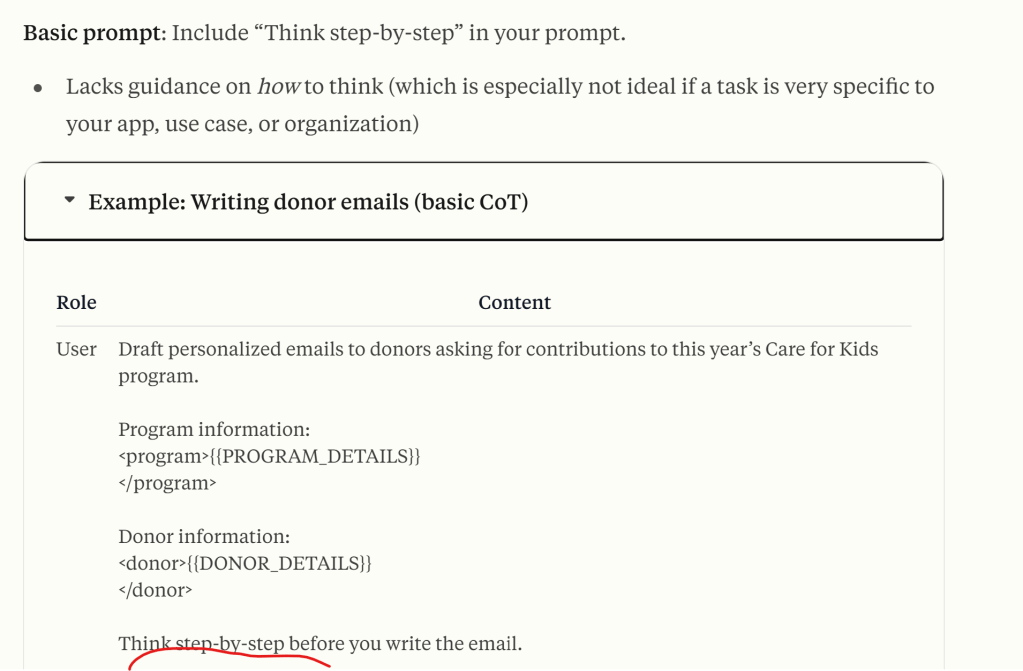
Let Claude think (chain of thought prompting) to increase performance:
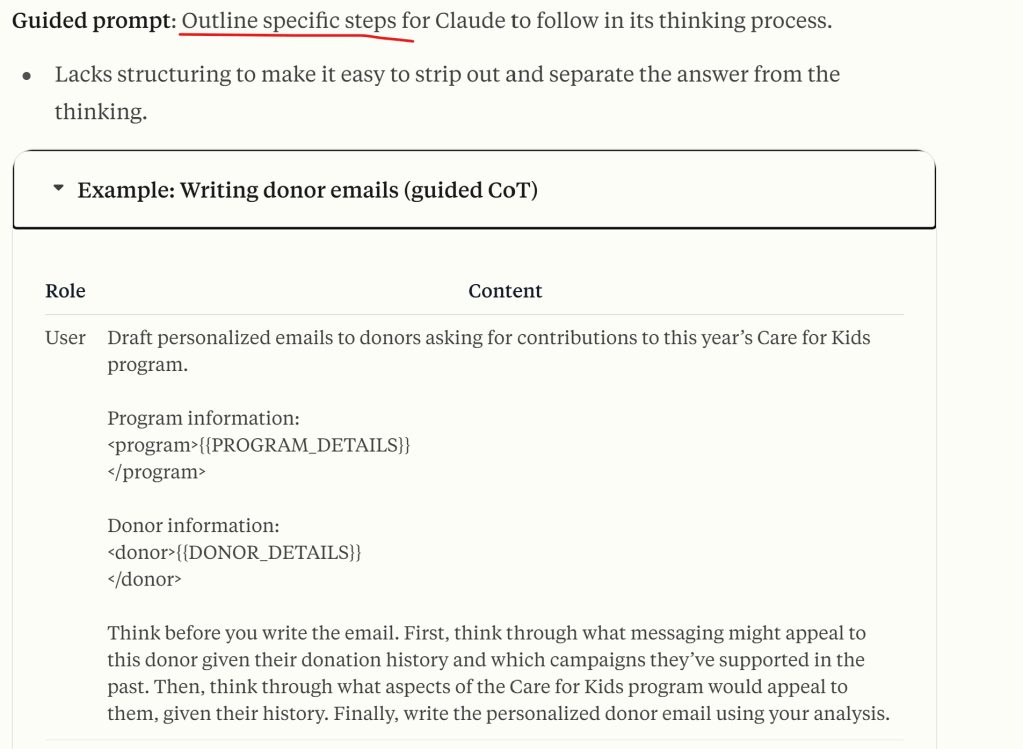

When your prompts involve multiple components like context, instructions, and examples, XML tags can be a game-changer. They help Claude parse your prompts more accurately, leading to higher-quality outputs.
XML tip: Use tags like <instructions>, <example>, and <formatting> to clearly separate different parts of your prompt. This prevents Claude from mixing up instructions with examples or context.
When using Claude, you can dramatically improve its performance by using the system parameter to give it a role. This technique, known as role prompting, is the most powerful way to use system prompts with Claude.
The right role can turn Claude from a general assistant into your virtual domain expert!
System prompt tips: Use the system parameter to set Claude’s role. Put everything else, like task-specific instructions, in the user turn instead.
Prefill Claude’s response for greater output control! prefill with { so only output the json content, prefill “Sherlock Holman”, the output is sherlock Holman style.
Chain complex prompts
long context tips
extended thinking tips
 Naixian Zhang