Model Context Protocol (MCP), an open-source standard for AI-tool integrations. MCP servers give Claude Code access to your tools, databases, and APIs.
More and more companies are strategically developing arrays of MCP servers to provide their services to millions of users. This dynamic business model is gaining momentum, and soon, I will launch and offer my domain expert MCP servers, capitalizing on the monetization of intellectual work.
MCP servers can be configured in three different ways depending on your needs:
- add a local stdio server: Stdio servers run as local processes on your machine. They’re ideal for tools that need direct system access or custom scripts.
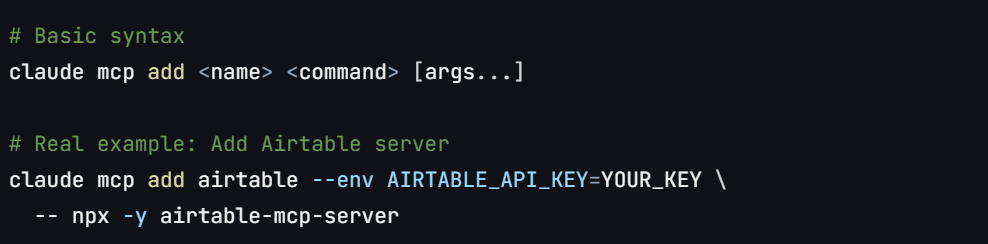
2. add a remote SSE server: SSE (Server-Sent Events) servers provide real-time streaming connections. Many cloud services use this for live updates.
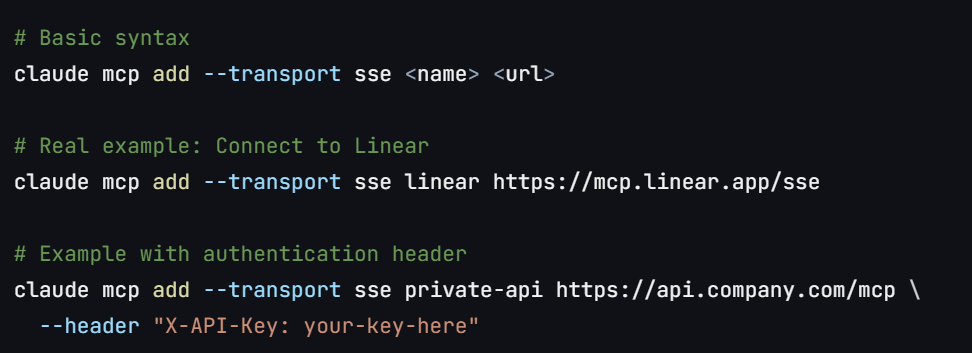
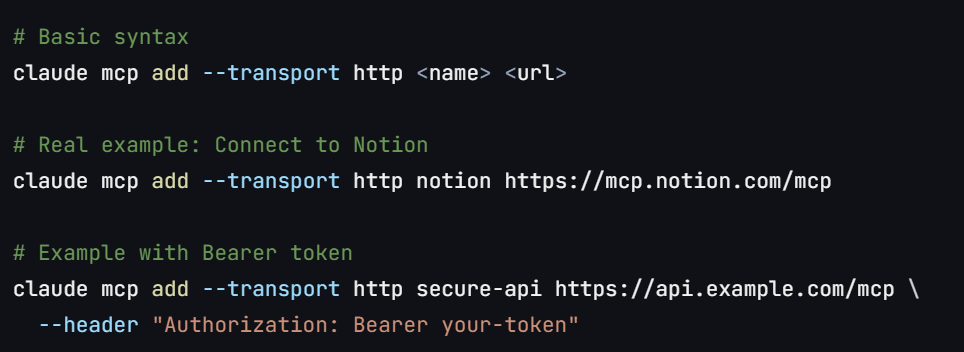
3. add a remote http server: HTTP servers use standard request/response patterns. Most REST APIs and web services use this transport.
Once configured
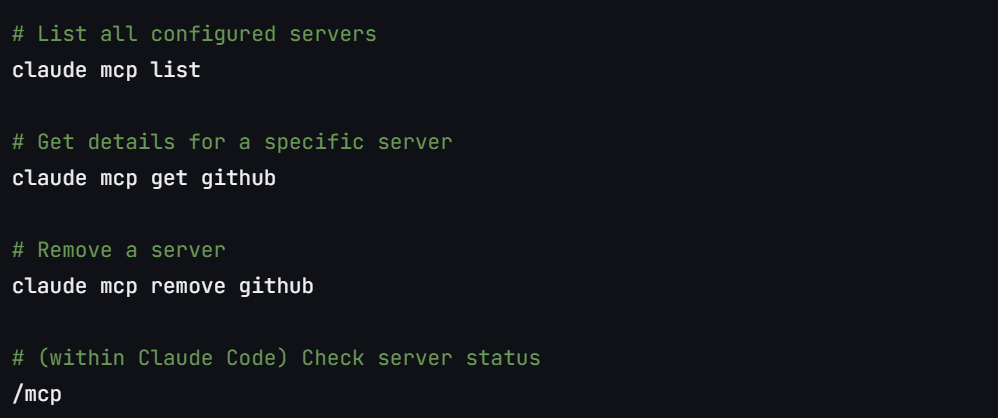
Tips:
- Use the
--scopeflag to specify where the configuration is stored:local(default): Available only to you in the current project (was calledprojectin older versions)project: Shared with everyone in the project via.mcp.jsonfileuser: Available to you across all projects (was calledglobalin older versions)
- Set environment variables with
--envflags (e.g.,--env KEY=value) - Configure MCP server startup timeout using the MCP_TIMEOUT environment variable (e.g.,
MCP_TIMEOUT=10000 claudesets a 10-second timeout) - Use
/mcpto authenticate with remote servers that require OAuth 2.0 authentication
Windows Users: On native Windows (not WSL), local MCP servers that use npx require the cmd /c wrapper to ensure proper execution.
Without the cmd /c wrapper, you’ll encounter “Connection closed” errors because Windows cannot directly execute npx. (See the note above for an explanation of the -- parameter.)
# This creates command="cmd" which Windows can execute
claude mcp add my-server -- cmd /c npx -y @some/package
Select your scope based on:
- Local scope: Personal servers, experimental configurations, or sensitive credentials specific to one project
- Project scope: Team-shared servers, project-specific tools, or services required for collaboration
- User scope: Personal utilities needed across multiple projects, development tools, or frequently-used services
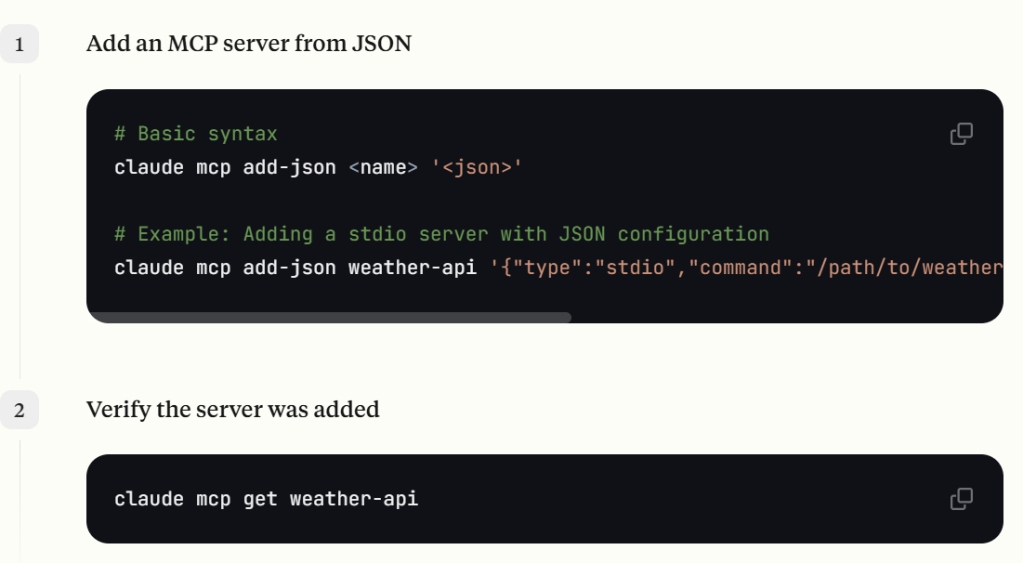
What was used before is using json configuration
More interestingly, You can use Claude Code itself as an MCP server that other applications can connect to:
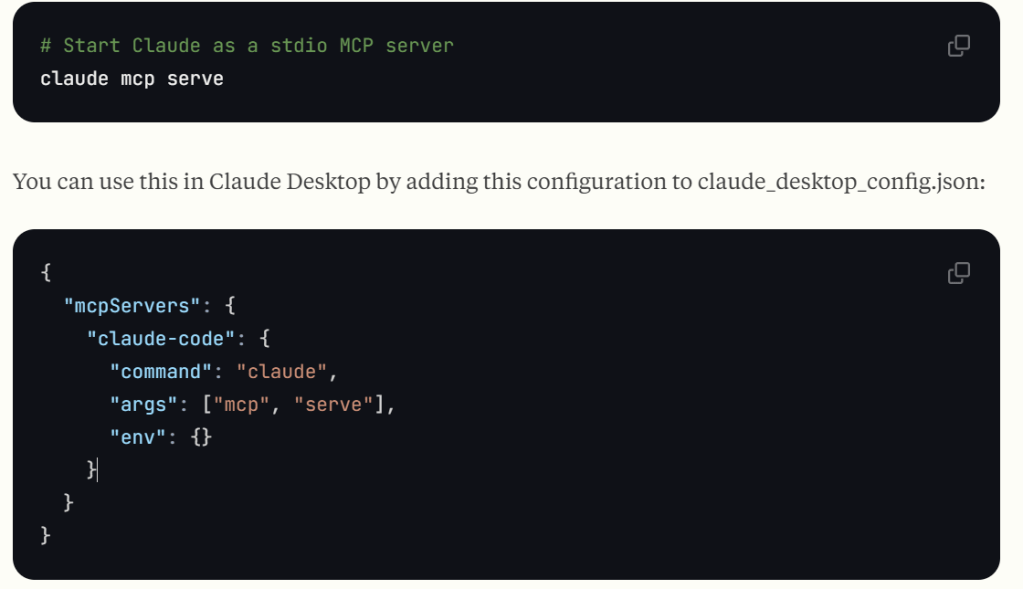
- The server provides access to Claude’s tools like View, Edit, LS, etc.
- In Claude Desktop, try asking Claude to read files in a directory, make edits, and more.
- Note that this MCP server is simply exposing Claude Code’s tools to your MCP client, so your own client is responsible for implementing user confirmation for individual tool calls.
 Naixian Zhang