Skills are essentially reusable prompt templates that encode project-specific knowledge. Instead of explaining “use Bun APIs, not Node fs” every time, you write it once in a skill. The LLM automatically loads it when relevant.
OpenCode intentionally supports Claude Code’s .claude/skills/ directory structure, so skills written for Claude Code work in OpenCode too. This is controlled by the OPENCODE_DISABLE_CLAUDE_CODE_SKILLS flag.
It’s stored at
│ Skill Definition │ C:\Users\ncarucci\Documents\gitfolder\opencode\packages\opencode\src\skill\skill.ts │
├──────────────────┼─────────────────────────────────────────────────────────────────────────────────────────────┤
│ Skill Tool │ C:\Users\ncarucci\Documents\gitfolder\opencode\packages\opencode\src\tool\skill.ts │
├──────────────────┼─────────────────────────────────────────────────────────────────────────────────────────────┤
│ Skill Debug CLI │ C:\Users\ncarucci\Documents\gitfolder\opencode\packages\opencode\src\cli\cmd\debug\skill.ts │
├──────────────────┼─────────────────────────────────────────────────────────────────────────────────────────────┤
│ Skill Tests │ C:\Users\ncarucci\Documents\gitfolder\opencode\packages\opencode\test\skill\skill.test.ts
Here is real skill use example: bun-file-io
 name: bun-file-io
  description: Use this when you are working on file operations like reading,
               writing, scanning, or deleting files. It summarizes the preferred
               file APIs and patterns used in this repo.
  ---

  ## Use this when
  - Editing file I/O or scans in `packages/opencode`
  - Handling directory operations or external tools

  ## Bun file APIs (from Bun docs)
  - `Bun.file(path)` is lazy; call `text`, `json`, `stream`...
  - `Bun.write(dest, input)` writes strings, buffers, Blobs...
  - `Bun.Glob` + `Array.fromAsync(glob.scan({...}))` for scans
  ...
If a user asks a question: “Help me add a function to read a config file”, LLM sees available skills. The skill tool description includes:
 <available_skills>
    <skill>
      <name>bun-file-io</name>
      <description>Use this when you are working on file operations like
      reading, writing, scanning, or deleting files...</description>
    </skill>
  </available_skills>
So this skill is loaded and injected into context
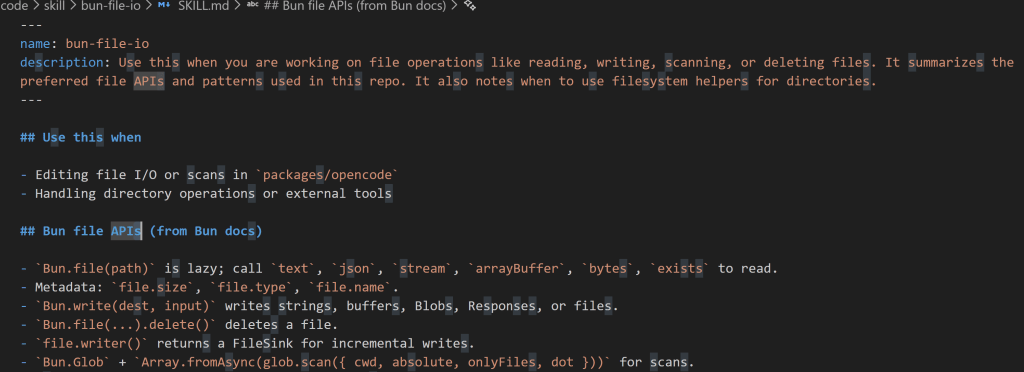
the LLM follow the guidance from this skill and knows how to use Bun API instead of Node.js fs.
So if i want to store more still, create a folder, and create SKILL.md
name: my-skill
description: Use this when deploying to AWS. Contains deployment patterns and commands.
## Prerequisites
- AWS CLI configured
- Valid credentials in ~/.aws Deployment Steps
- Build the project:
npm run build - Deploy:
aws s3 sync ./dist s3://my-bucket - Invalidate cache:
aws cloudfront create-invalidation ...Rollback If deployment fails:
“`bash
aws s3 sync s3://my-bucket-backup s3://my-bucket
 Naixian Zhang